Annual billing

Gemini 4 Argon annual plans cost about 50% less than 12 monthly payments

Save

Gemini 4 Argon photocraft

Give every image room to become something better. Use Gemini 4 Argon photocraft to edit photos, build layered compositions and save real PSD files in your browser. Edit without an account; sign in for free to save or export. No credits required.

Gemini 4 Argon photocraft Free editor · 0 credits

Edit without an account. Save and export for free after sign-in. No credits or subscription required.

Loading the editor…
Edit the example or open your own image. Sign in when you save.Powered by open-source PhotoCraft · Gemini 4 Argon
01

Gemini 4 Argon photocraft Introduction

Meet the editor and its foundations.

Meet Gemini 4 Argon photocraft: familiar tools, a fresh canvas

A good editor should let you concentrate on the picture. The Gemini 4 Argon photocraft workspace brings a canvas, tools and layer controls into one place, so a quick crop can grow into a carefully arranged composition. Start with a photograph, add a headline, separate the background from the subject, or assemble a simple promotional graphic. You choose how much detail the image needs. Familiar editing concepts make the first session approachable without flattening every creative decision into a single automatic effect.
Built on the open-source PhotoCraft engine

The foundation is the PhotoCraft project by storytold, an image editor written in Rust with layers, masks, type, vectors, brushes and PSD support. This website hosts its Web editor and adds account access and saved-result storage. The Gemini 4 Argon photocraft service is independently operated; it is not the upstream project or Adobe. Desktop-only integrations described in the repository are not promised here. The published engine remains early software, so keep a local copy and check important documents after opening or saving them.

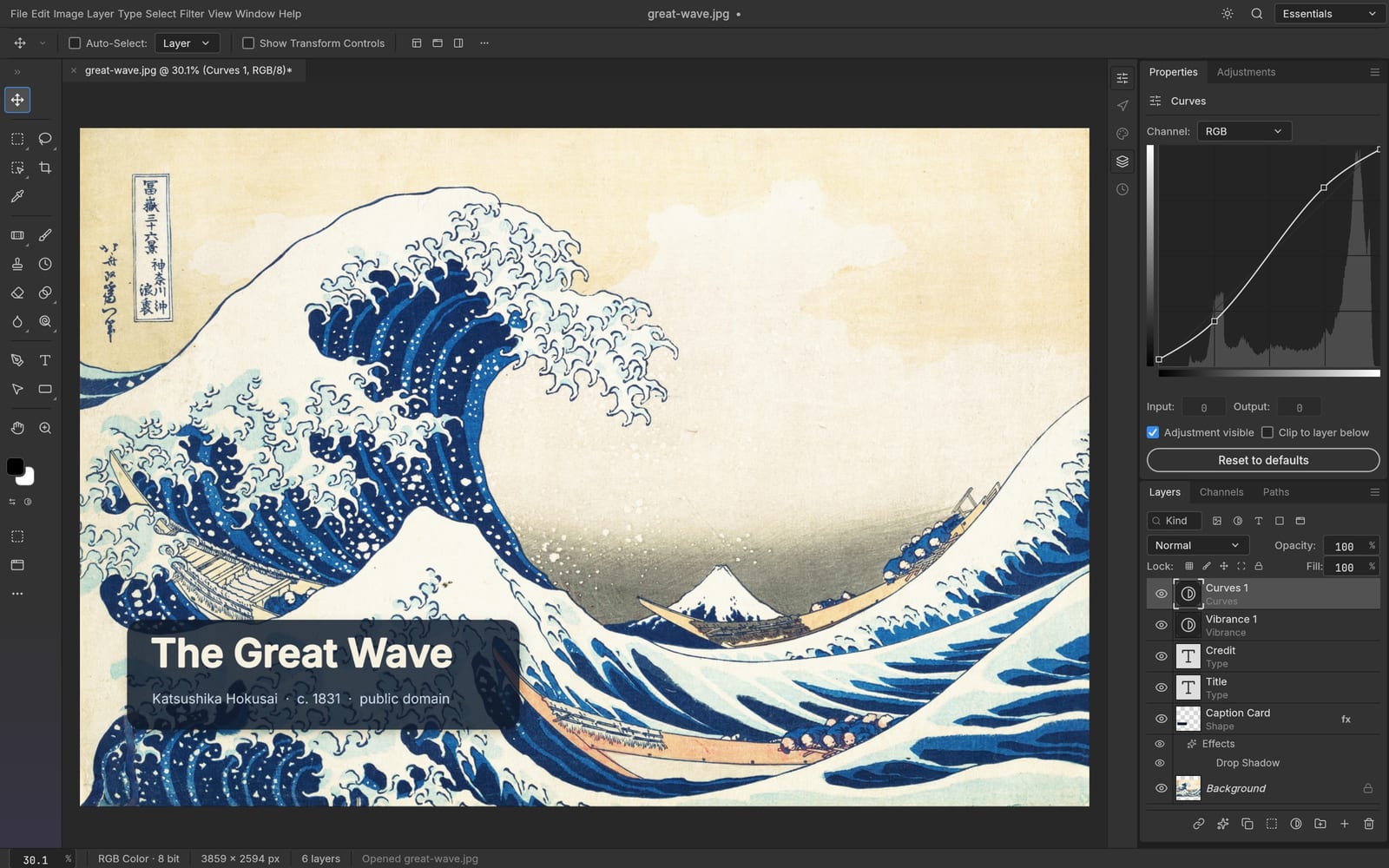
Upstream PhotoCraft editor demonstrating layers, text and curves
Upstream application screenshot using public-domain artwork; this site hosts the Web release. Source and license
02

Gemini 4 Argon photocraft How to use

Open, edit, sign in and save for free.

  1. 01
    STEP 1

    1. Explore Gemini 4 Argon photocraft freely

    Open Gemini 4 Argon photocraft without an account and explore the editable example. Try layers, tools and the canvas, or open your own image. Editing is free. Google login or One Tap is only required when you save or export, with no subscription or credits required.

  2. 02
    STEP 2

    2. Open your starting image

    Open a photograph or supported document in Gemini 4 Argon photocraft, then inspect its size and existing layers. Keep an untouched original nearby. Choose a clear purpose, such as a product listing, a portrait correction or a social graphic, before making several competing changes at once.

  3. 03
    STEP 3

    3. Shape the edit in layers

    Build your Gemini 4 Argon photocraft composition with separate image and text layers. Use selections and masks to control where changes appear, then review the result at a useful zoom. Name important layers clearly so another editing session starts with a readable document rather than guesswork.

  4. 04
    STEP 4

    4. Save and check the result

    Save or export from Gemini 4 Argon photocraft, then sign in for free if prompted. Your document stays open and saving continues automatically after login. Download the result and wait for its private cloud copy before closing the page. No credits or subscription are required.

03

Gemini 4 Argon photocraft Features

Layers, masks, text and editable documents.

Gemini 4 Argon photocraft layers for changes you can revisit

Separate the photograph, background, headline and decorative elements instead of baking every decision into the same pixels. In Gemini 4 Argon photocraft, a layered workflow helps you move one element without rebuilding the entire image. Hide a variation, compare arrangements and keep the successful version organized. This is useful for a product banner that needs several crops or a social design that will receive another date or price. Preserve the editable document alongside your final image so the next update has a sensible starting point.

Gemini 4 Argon photocraft layers for changes you can revisit
Feature screenshot from the upstream project, not a hosted-site session.

Gemini 4 Argon photocraft selections and masks with a purpose

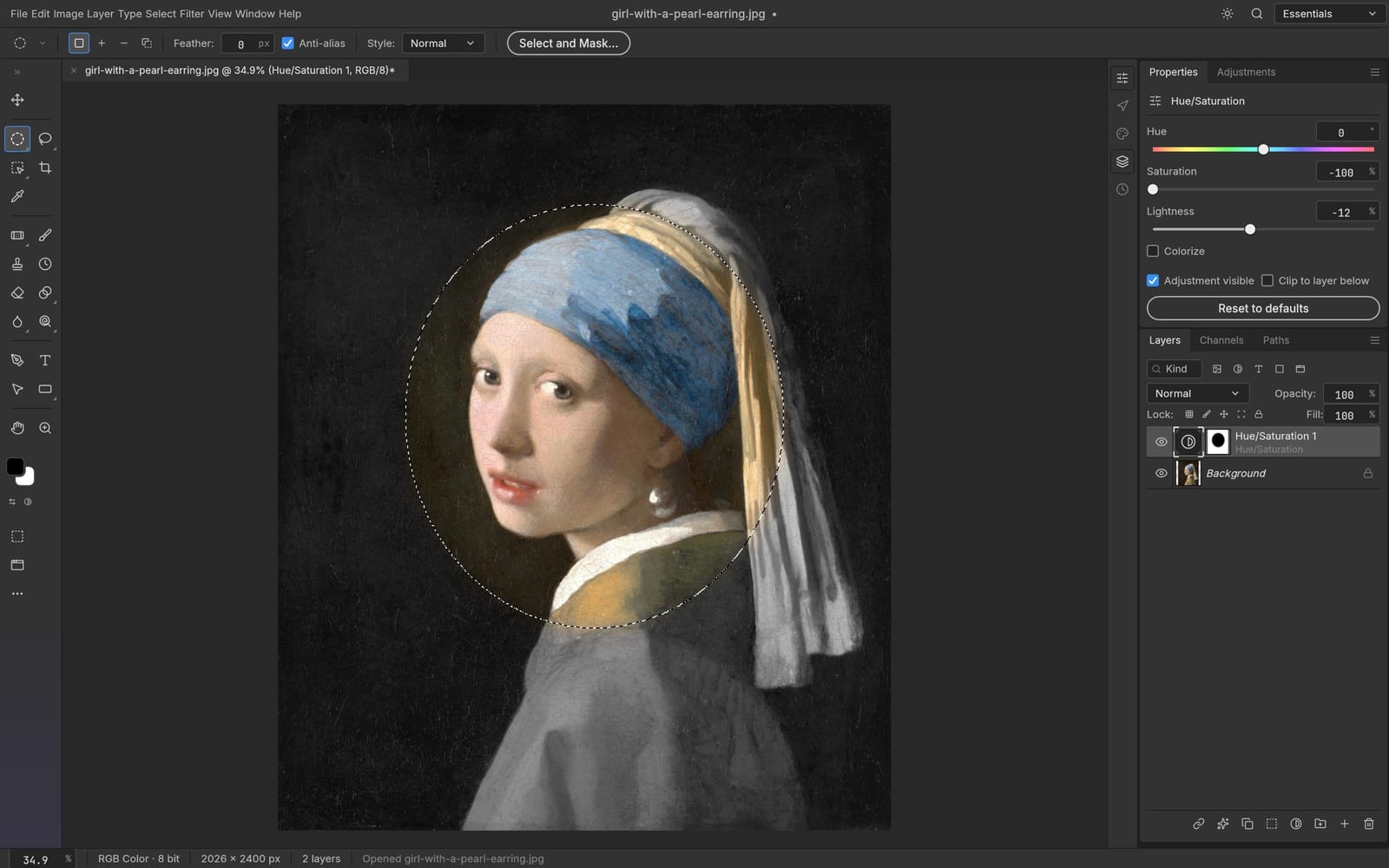
An edit often needs to affect one region rather than the whole photograph. Use Gemini 4 Argon photocraft selection tools to define that region and masks to manage which parts of a layer remain visible. Work carefully around hair, soft edges and transparent areas; zoom in for detail, then zoom back out to judge the complete image. The upstream engine includes several selection methods, but results depend on the picture and the available Web build. Inspect the edge instead of assuming every subject will separate perfectly.

Gemini 4 Argon photocraft selections and masks with a purpose
Feature screenshot from the upstream project, not a hosted-site session.

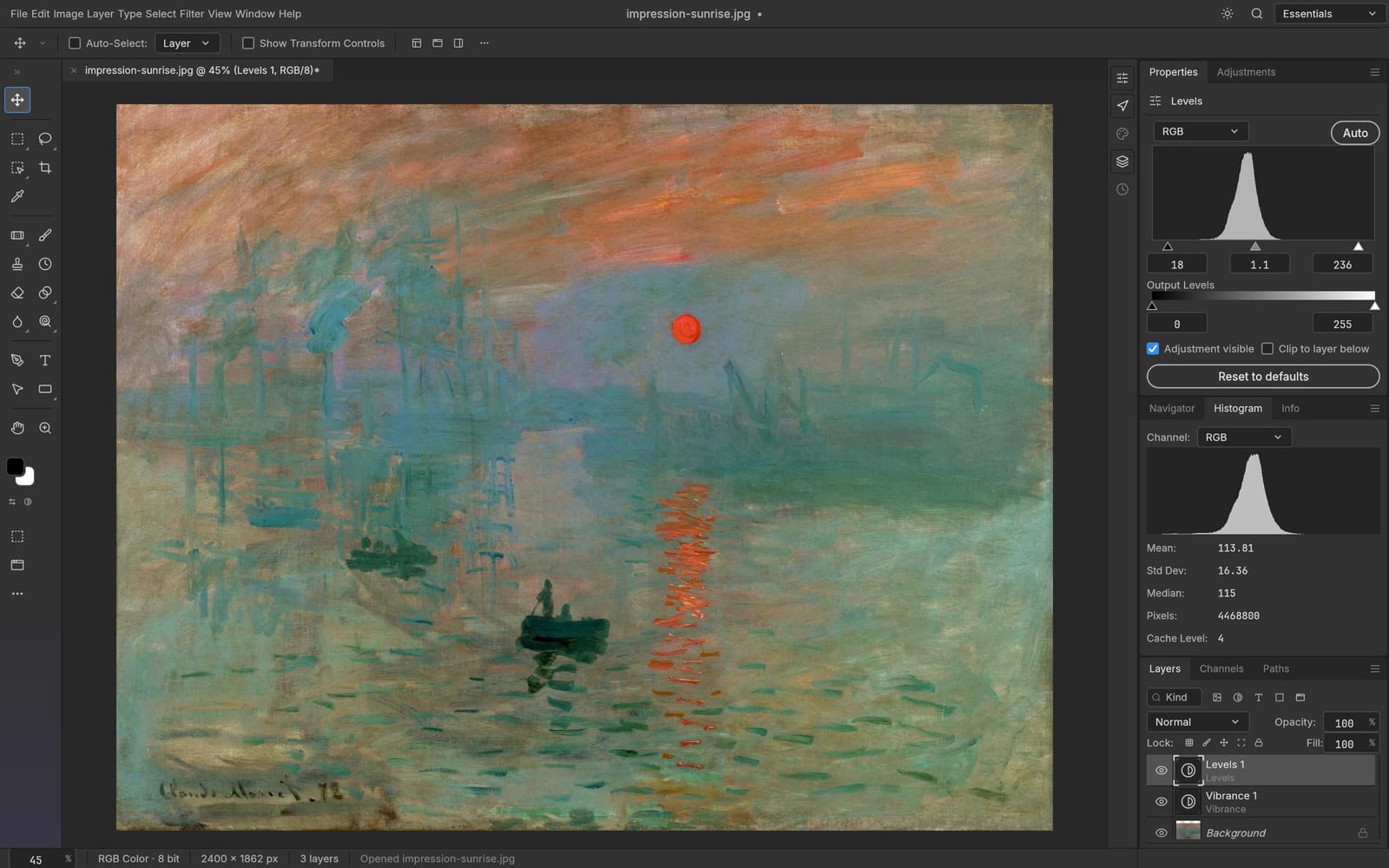
Gemini 4 Argon photocraft color and adjustment controls

Start with a believable exposure and a deliberate color direction. The Gemini 4 Argon photocraft engine supports adjustment layers and familiar color controls, allowing you to refine a composition while keeping its structure understandable. Compare changes against the original and avoid pushing every slider simply because it is available. A portrait may need restrained tonal corrections; a campaign graphic may need stronger contrast. When a document contains effects imported from elsewhere, check the rendered result and keep the source file before replacing a production asset.

Gemini 4 Argon photocraft color and adjustment controls
Feature screenshot from the upstream project, not a hosted-site session.

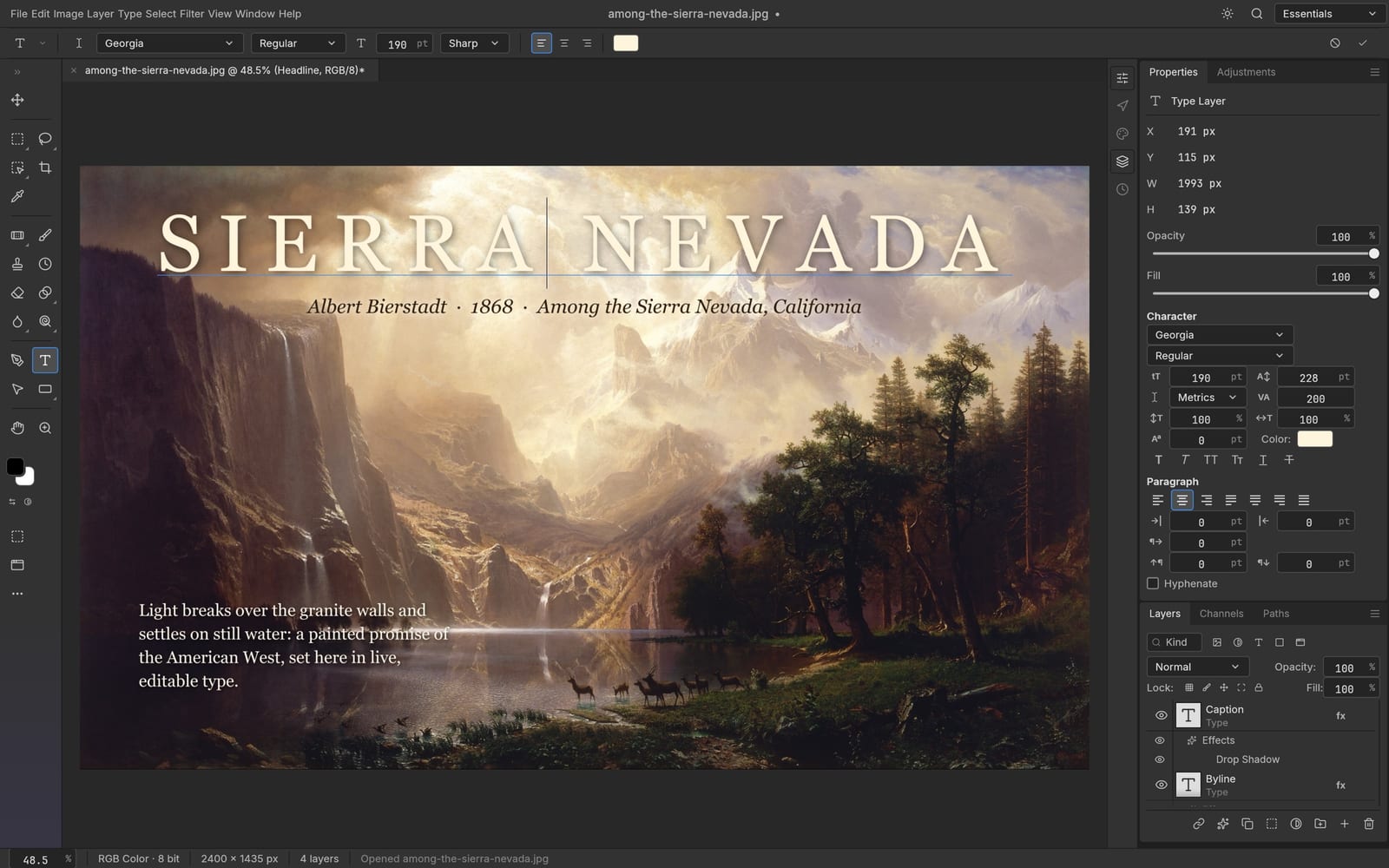
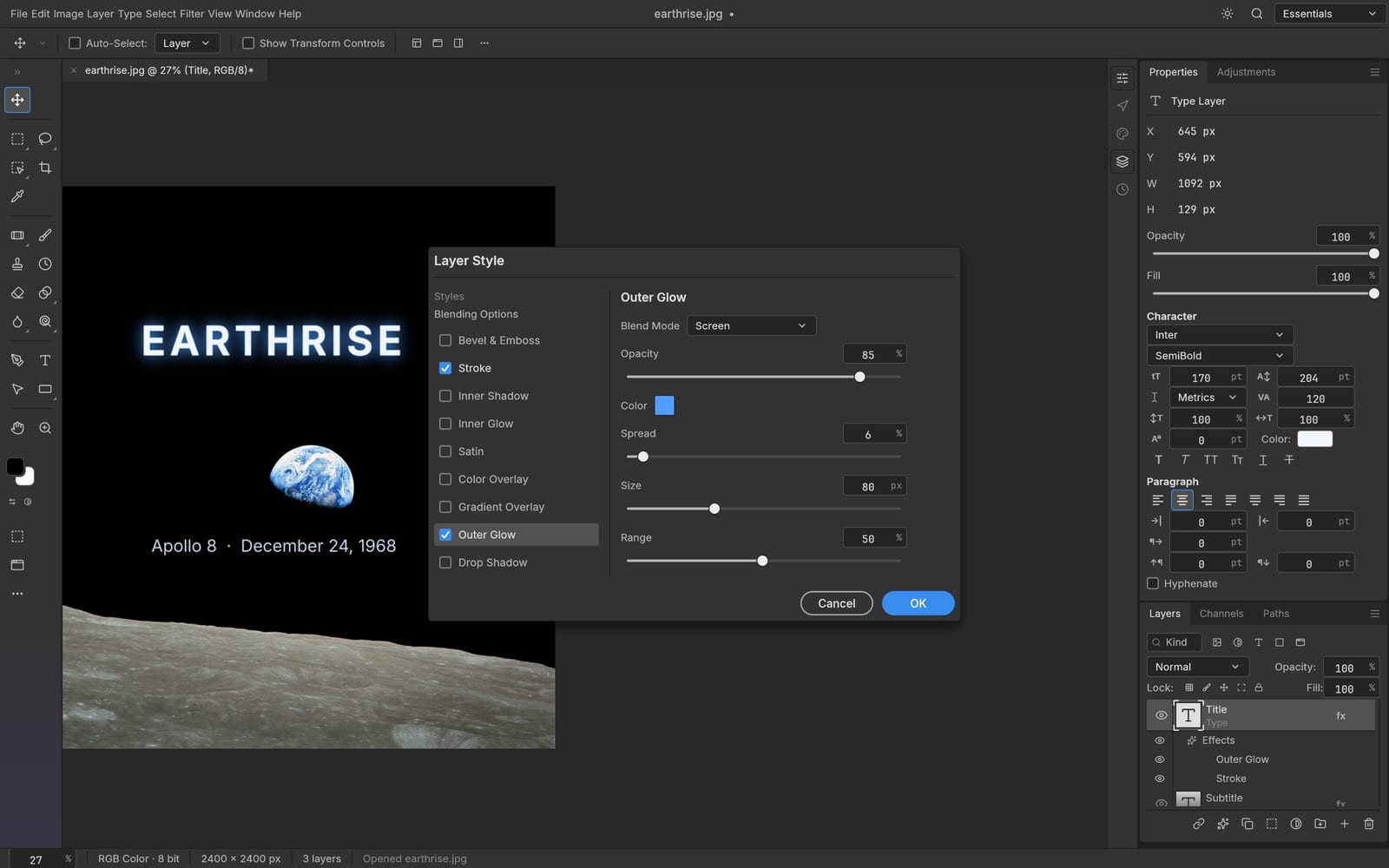
Gemini 4 Argon photocraft text that belongs in the composition

Give a headline its own editable layer and place it with the image rather than treating it as an afterthought. In Gemini 4 Argon photocraft, type and layer styling can help establish a clear reading order for a poster, thumbnail or announcement. Leave enough contrast behind small text, check spelling, and review the design at the size where people will actually see it. Font availability and document compatibility can affect the final appearance, so verify the exported file before sending a finished layout to somebody else.

Gemini 4 Argon photocraft text that belongs in the composition
Feature screenshot from the upstream project, not a hosted-site session.

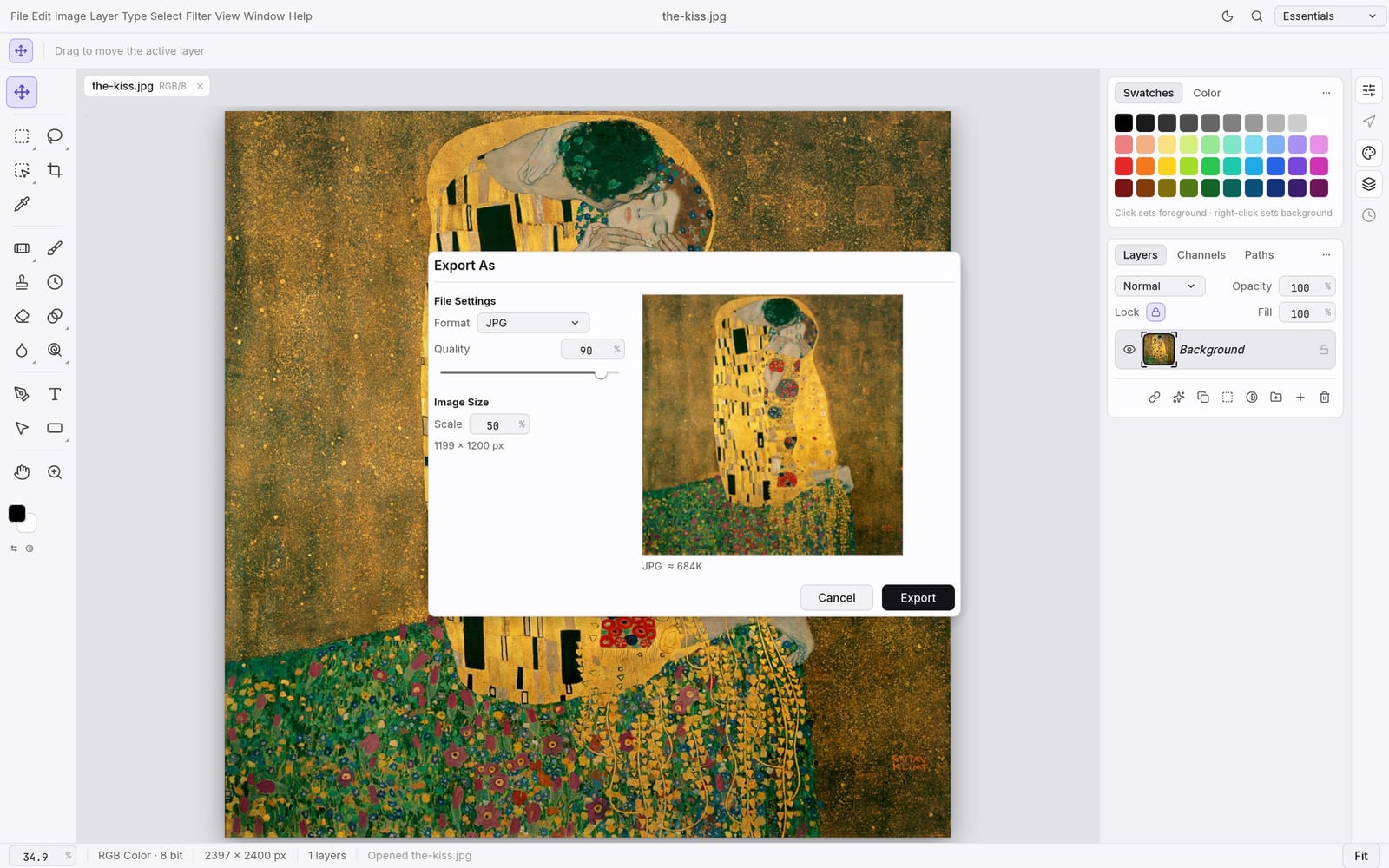
Gemini 4 Argon photocraft PSD editing and practical exports

The open-source editor works with real PSD documents, giving Gemini 4 Argon photocraft a useful place in an existing image workflow. Open a layered file, make a focused change and save an editable result, or export a finished picture for another application. Complex PSD features may not reproduce identically in every editor, especially during an early release. Review text, masks and effects after a round trip. Saving an original copy and checking the output are small habits that protect a much larger amount of creative work.

Gemini 4 Argon photocraft PSD editing and practical exports
Feature screenshot from the upstream project, not a hosted-site session.

Gemini 4 Argon photocraft saved results, ready for another session

Saving from Gemini 4 Argon photocraft creates a private library item and a zero-credit task record. Image outputs can show a preview; layered documents without a preview remain downloadable file cards. Your Gemini 4 Argon photocraft local download is still available, so cloud storage is a second useful copy rather than your only safeguard. If an upload fails, retry while the page remains open and watch for confirmation. Editing happens in the browser, while saving sends the result to this service. Only upload content you have permission to store.

Gemini 4 Argon photocraft saved results, ready for another session
Feature screenshot from the upstream project, not a hosted-site session.
04

Gemini 4 Argon photocraft Creator workflows

Practical examples for your next project.

A product image with room for revisions

Start a Gemini 4 Argon photocraft product layout with the original photograph, a separate background and an editable caption. Prepare a clea Gemini 4 Argon photocraft square crop, then review a second composition for a wider banner. Keep prices and dates separate from the photo so the next campaign is a revision, not a complete rebuild. These are suggested workflows, not customer testimonials or measured performance claims.

A portrait edit that still looks like you

Use Gemini 4 Argon photocraft to make focused color, crop and layer adjustments while keeping a reference to the original portrait. Check natural skin tones and edges at several zoom levels. Stop when the image serves its purpose instead of adding effects indefinitely. Save a Gemini 4 Argon photocraft editable version and a finished image, with clear filenames that distinguish the two.

A social graphic you can update tomorrow

Build a Gemini 4 Argon photocraft announcement around a strong photograph and a short headline. Give the headline breathing room, inspect the mobile crop and confirm that important text survives export. Keep a Gemini 4 Argon photocraft layered master for future announcements. When you need a newly generated visual, use the separate AI tools, then bring the chosen image back for deliberate editing.

Gemini 4 Argon photocraft editing is free. AI tools use credits.

Edit in Gemini 4 Argon photocraft without an account. Sign in to save and export for free. Opening the editor, making changes and saving results consume zero credits. The optional AI image and video tools have their own displayed credit costs and paid packages below. Buying a package is not required to continue free photo editing, and a zero balance does not lock the editor.

Gemini 4 Argon MiniMax H3 Max Pricing and Credit Plans

Cancel anytime

Lite

50% off

0.025 / credit

$29.9$14.950% off

Billed $ yearly179· Save $179.8

600/month
Video Models
MiniMaxSeedanceWanGrok ImagineKling
Image Models
SeedreamGPT ImageNano Banana
  • Includes Gemini 4 Argon MiniMax H3 and all premium models
  • Up to 1 batch generation task
  • Standard generation speed
  • Standard generation success rate
  • Standard customer support
  • Commercial Use License
Most Popular

Standard

50% off

0.017 / credit

$49.9$24.950% off

Billed $ yearly299· Save $299.8

1,500/month
Video Models
MiniMaxSeedanceWanGrok ImagineKling
Image Models
SeedreamGPT ImageNano Banana
  • Includes Gemini 4 Argon MiniMax H3 and all premium models
  • Up to 4 batch generation tasks
  • Priority processing speed
  • High generation success rate
  • Priority customer support
  • Commercial Use License

Pro

50% off

0.014 / credit

$99.9$49.950% off

Billed $ yearly599· Save $599.8

3,600/month
Video Models
MiniMaxSeedanceWanGrok ImagineKling
Image Models
SeedreamGPT ImageNano Banana
  • Includes Gemini 4 Argon MiniMax H3 and all premium models
  • Up to 10 batch generation tasks
  • Fastest generation speed
  • High generation success rate
  • Dedicated account manager
  • Commercial Use License

Max

50% off

0.012 / credit

$199.9$99.950% off

Billed $ yearly1,199· Save $1,199.8

1x
1x2x3x4x5x
8,000/month
Video Models
MiniMaxSeedanceWanGrok ImagineKling
Image Models
SeedreamGPT ImageNano Banana
  • Includes Gemini 4 Argon MiniMax H3 and all premium models
  • Up to 10 batch generation tasks
  • Fastest generation speed
  • High generation success rate
  • Dedicated account manager
  • Commercial Use License

Pay safely and securely with

  • Mastercard
  • Visa
  • Apple Pay
  • UnionPay
  • Google Pay
  • Discover
  • PayPal
  • Click to Pay
  • Bancontact
  • SEPA
  • Link
  • Diners Club
  • Crypto
  • Cash App
  • eftpos
  • Revolut Pay
05

Gemini 4 Argon photocraft FAQ

Clear answers before your first edit.

Yes. Edit in Gemini 4 Argon photocraft without an account. Sign in to save and export for free, with no credits or subscription required. Optional AI image and video generation is priced separately; its cost appears before generation.

06

Gemini 4 Argon photocraft Start creating

Bring your next image to the canvas.

Make your next edit with Gemini 4 Argon photocraft

Bring a photograph, a clear idea and a little room to experiment. Open Gemini 4 Argon photocraft above and begin with one useful change. Sign in for free when saving. Save the layered version, check the finished output and keep the result in your own library for the next creative session.

Start editing for free