 Gemini 4 Argon
Gemini 4 Argon Convert Image Online to Five Output Formats
Change the actual encoding of a picture, not just the letters after its filename. Gemini 4 Argon Convert Image reads supported local files and exports JPG, PNG, WebP, BMP, or ICO. Use Gemini 4 Argon Convert Image for one asset or a batch of up to 20, with settings you can reuse across the selection.
Convert Image workspace
Drop or paste a JPG, PNG or WebP · up to 30 MB each
Up to 8192 pixels per side and 32 megapixels · up to 20 images
Free · Sign in to process · Inputs and results are saved to your account.
Introduction
What Is Gemini 4 Argon Convert Image?
Gemini 4 Argon Convert Image changes a picture from one file format to another, such as JPG to PNG. Choose a JPG photo when a website asks for PNG, then save the converted file; changing formats does not improve picture quality.
Gemini 4 Argon Convert Image: match the format to the next task
A photograph, transparent graphic, and small application icon can need different kinds of files. Gemini 4 Argon Convert Image lets you create the required output from a supported picture, so you can prepare a download for a document, website, presentation, or other existing workflow.
Gemini 4 Argon Convert Image does not invent missing detail or turn a raster picture into editable vector artwork. A PNG made from a compressed JPG still contains the visible defects already present in that source.
- Choose an output format for its intended destination.
- Keep the source when you may need another version.
Browser conversion with account history
Gemini 4 Argon Convert Image processes pictures in your browser after sign-in. Inputs and results are uploaded to your account for task review. No subscription, credit deduction, or paid cloud model is required.
Local work is still limited by browser resources. Gemini 4 Argon Convert Image can require more time or memory for large pictures, especially when several files are involved.
- Select source pictures directly from your own device.
- Download completed files after sign-in, without spending credits.

How to use
How to Use Gemini 4 Argon Convert Image
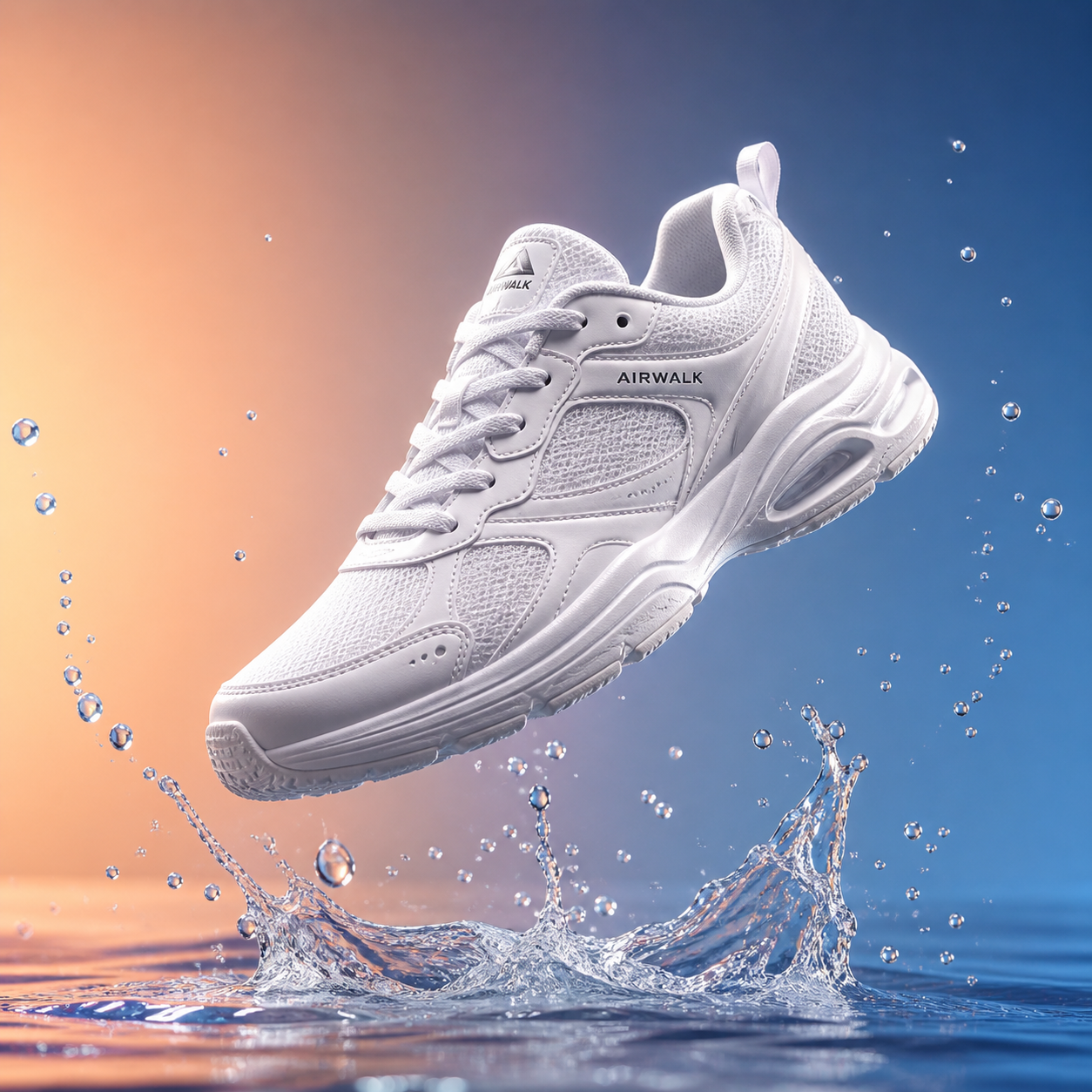
- Beforebag.jpg
 1254 × 1254 px1.63 MBSTEP 1
Select the source files
Open Gemini 4 Argon Convert Image and choose up to 20 static JPG, PNG, or WebP files that meet the file-size, longest-side, and total-pixel limits.
- FormatPNGJPG PNGSTEP 2
Configure an output
Choose the format, quality, dimensions, and background in Gemini 4 Argon Convert Image. For ICO, use a square size no larger than 256 pixels and inspect its padding.
- JPG
 PNGSTEP 3
Reuse settings carefully
Apply the settings of one file to all selected files in Gemini 4 Argon Convert Image when appropriate. Review pictures with different proportions or transparent areas before starting the conversion.
- AfterBeforebag.pngDownloadSTEP 4
Save the finished results
Download individual files or the batch ZIP from Gemini 4 Argon Convert Image. Check the exported backgrounds, dimensions, and small details in the workflow where they will be used.
Features
Gemini 4 Argon Convert Image Features: Useful Output Formats
Gemini 4 Argon Convert Image exports JPG, PNG, WebP, BMP, and ICO. Transparency and icon sizing deserve attention because these formats do not all represent the same things.
Choose between opaque and transparent output
JPG and BMP output in Gemini 4 Argon Convert Image uses an opaque background. Select white or a chosen background color when the source contains transparent areas.
PNG and WebP can retain supported source transparency in Gemini 4 Argon Convert Image. They cannot create a cutout from an opaque photograph simply by changing the format.
- Choose the fill color before exporting JPG or BMP.
- Do not mistake PNG conversion for automatic background removal.
Create a small square ICO file
ICO output in Gemini 4 Argon Convert Image is a square no larger than 256 pixels on a side. The icon layout uses transparent padding for a source that does not fill that square, making it suitable for preparing a compact asset without forcing a rectangular subject to stretch.
A tiny icon needs a clear source. Gemini 4 Argon Convert Image does not simplify complicated artwork into a newly designed symbol, and text that reads well in a large banner may become illegible at icon size.
- Keep the ICO size within the 256-pixel square limit.
- Review fine lines and text after reducing an icon.

Gemini 4 Argon Convert Image Features: Reusable Settings and Batch Downloads
Gemini 4 Argon Convert Image accepts up to 20 source files together. You can establish settings on one file, apply them to the selection, and review the outputs separately.
Set format, quality, size, and background
Each file in Gemini 4 Argon Convert Image has output format, quality, dimensions, and background settings. Use those controls to prepare the intended result, remembering that a quality value is relevant to encoders that use it rather than a universal improvement applied to every format.
The apply-to-all action in Gemini 4 Argon Convert Image reuses the settings of one file across the batch. A landscape photograph and a transparent logo may need different output decisions despite sharing a folder.
- Configure one file before reusing settings across the batch.
- Inspect sources with different shapes or transparency needs.
Download individually or collect a ZIP
Use the separate download for one finished asset, or save a ZIP containing the batch results. Gemini 4 Argon Convert Image provides both routes so that a single required icon does not force you to collect every other file prepared during the same session.
The archive bundles files; it does not make their image encoding interchangeable. Gemini 4 Argon Convert Image may produce a larger file when the chosen format favors lossless storage or a different use case. Choose the output because it suits the destination, not because conversion guarantees fewer bytes.
- Download a selected result when only one asset is needed.
- Use the ZIP option to collect the finished batch.

Gemini 4 Argon Convert Image Features: Defined Inputs and Honest Results
Gemini 4 Argon Convert Image has a deliberately narrower input list than its output list. Check the source format and the image limits before planning a conversion workflow.
Understand the accepted source files
Gemini 4 Argon Convert Image accepts static JPG, PNG, and WebP files up to 30 MB each. The longest side must not exceed 8192 pixels, and total image area must not exceed 32 megapixels.
Animated images, HEIC, TIFF, SVG, and AVIF are not supported inputs for Gemini 4 Argon Convert Image. BMP and ICO are available as exports, not additional accepted sources. An unsupported file is not sent elsewhere for conversion, and renaming its extension does not change its actual encoding.
- Use a supported source even when exporting another format.
- Check the file size and both source dimension limits.
Check the result in its intended context
Repeated lossy encoding can introduce additional visual changes. Gemini 4 Argon Convert Image should therefore start from the best source you have, particularly for fine lettering, smooth gradients, or product details. Saving an already damaged image into a lossless format does not undo earlier compression.
Before replacing a working asset, inspect the download and its background in the intended layout. Gemini 4 Argon Convert Image does not guarantee compatibility with every application that recognizes an extension.
- Review the actual exported file, not only its filename.
- Keep a source copy until the new asset is checked.
User reviews
Gemini 4 Argon video creator feedback.
Gemini 4 Argon creator reviews

I made a full character PV for my game with Gemini 4 Argon MiniMax H3 in one afternoon. The menu UI stayed readable in every frame and the character never went off-model. That used to cost me a contractor and three weeks.

We tested every Gemini 4 Argon AI video generator on the market for stylized work. H3 is the only one that held our anime style across cuts. We now use it for pitch reels and animatics on every project.

I uploaded four product photos and got a listing video with music and a voiceover the same day. My click-through rate on the new listings is up 38%. H3 even got the label text on my packaging right.

I ship five vertical videos a week for three brands. Gemini 4 Argon MiniMax H3 gets me from brief to draft in under an hour, with sound already synced. My old workflow needed a videographer and two review rounds.

The editing side is what sold me. A client wanted the background of an interview changed — I typed one sentence into Gemini 4 Argon MiniMax H3 and the lighting on the subject matched the new scene automatically.

I previsualized my entire short film in Gemini 4 Argon MiniMax H3 before we shot a single frame. Rack focus, match cuts, even the title cards — it understands director language, not just keywords.
Gemini 4 Argon Convert Image is free after sign-in, with no subscription or credits required. Inputs and results are uploaded and saved to your account for task review.
Gemini 4 Argon MiniMax H3 Max Pricing and Credit Plans
Cancel anytime
Lite
50% off0.025 / credit
Billed $ yearly179· Save $179.8
Video Models


Image Models



- Includes Gemini 4 Argon MiniMax H3 and all premium models
- Up to 1 batch generation task
- Standard generation speed
- Standard generation success rate
- Standard customer support
- Commercial Use License
Standard
50% off0.017 / credit
Billed $ yearly299· Save $299.8
Video Models
Image Models
- Includes Gemini 4 Argon MiniMax H3 and all premium models
- Up to 4 batch generation tasks
- Priority processing speed
- High generation success rate
- Priority customer support
- Commercial Use License
Pro
50% off0.014 / credit
Billed $ yearly599· Save $599.8
Video Models
Image Models
- Includes Gemini 4 Argon MiniMax H3 and all premium models
- Up to 10 batch generation tasks
- Fastest generation speed
- High generation success rate
- Dedicated account manager
- Commercial Use License
Max
50% off0.012 / credit
Billed $ yearly1,199· Save $1,199.8
Video Models
Image Models
- Includes Gemini 4 Argon MiniMax H3 and all premium models
- Up to 10 batch generation tasks
- Fastest generation speed
- High generation success rate
- Dedicated account manager
- Commercial Use License
Pay safely and securely with




















FAQ
Frequently asked questions
Is Gemini 4 Argon Convert Image free after signing in?
Yes. Gemini 4 Argon Convert Image requires sign-in, but no subscription or credits. The original and finished image are saved to your account and included in task history. Paid plans elsewhere on the site are optional for this tool.
Does Gemini 4 Argon Convert Image send files to a server?
No. Gemini 4 Argon Convert Image processes supported sources locally and does not use an upload-based conversion fallback. The website loads application resources, but your selected pictures are not submitted to a cloud converter.
Which outputs ca Gemini 4 Argon Convert Image create?
Gemini 4 Argon Convert Image exports JPG, PNG, WebP, BMP, and ICO. Accepted inputs are static JPG, PNG, and WebP only, so an available output format is not automatically an additional supported input format.
How does Gemini 4 Argon Convert Image handle transparent JPG output?
Gemini 4 Argon Convert Image fills transparent source areas with white or the background color you choose for JPG and BMP output. PNG and WebP can retain transparency, but conversion does not remove an opaque background.
What are the Gemini 4 Argon Convert Image limits for ICO?
ICO output must be square and no larger than 256 pixels on a side. Transparent padding accommodates a source that does not fill the square. Check readability at the intended icon size.
Ca Gemini 4 Argon Convert Image reuse settings across multiple files?
Yes. Format, quality, dimensions, and background settings from one file can be applied to all selected files. A batch can contain up to 20 sources, each within the supported input limits.
Will Gemini 4 Argon Convert Image always make a smaller file?
No. Gemini 4 Argon Convert Image results depend on the output format, dimensions, and encoding settings. A conversion to PNG or BMP can increase file weight, and preserving visual information may matter more than reducing bytes.
Ca Gemini 4 Argon Convert Image accept HEIC, animation, or SVG?
No. Animated images, HEIC, TIFF, SVG, and AVIF are unsupported. Use static JPG, PNG, or WebP up to 30 MB, no longer than 8192 pixels per side, and no larger than 32 megapixels overall.
CTA
Prepare Your Next Format with Gemini 4 Argon Convert Image
Choose a supported source and make an output that fits its next job. Gemini 4 Argon Convert Image keeps the settings, review, and downloads together in a local workflow.
Choose Images